Inbox

Thursday, May 1, 2014

Baby Monitor Hack ( hacked ) ?


This is about this best and easiest to understand article I have read on this subject. I want to thank the guys at  FargoTek Computer/Network/Security Solutions for putting this together. You can find them at http://www.fargotek.com/  They are a great group of guys and we highly recommend them. You can find them also on Facebook https://www.facebook.com/FargoTek


 Baby Monitor Hack ( hacked ) ?


Didja Hear? Parents in Ohio were jolted awake when all of a sudden a strange voice began screaming through their child’s baby monitor. Adam and Heather Schreck were both sleeping in their home when they heard a man yelling at their daughter. Heather picked up her cell phone to check the wireless video monitor in Emma’s room and was startled when she realized the camera was panning the room without their assistance.

A couple in Texas had a similar experience in August 2013. Mark and Lauren Gilbert heard strange noises coming from their two-year-old daughter’s room. When they went to Allyson’s room to check on her they found that their child’s monitor had been overtaken by a hacker; a strange voice was yelling profanities at their baby.

Just as with the Schreck family, the monitor turned in their direction and the intruder started cursing at them before Marc could rush over and unplug the monitor. The couple said the hacker accessed their wireless network, even though it was password-protected. The hacker was able to address the child directly because he had seen her name on a wall decoration which was above her bed.

Please keep in mind that a hacker with a 'cantenna' can access your wireless network from a very long way off. Just because your notebook doesn't get a signal on the porch doesn't mean someone else can't access or monitor your network from a mile away, meaning that even though you don't think anyone in your neighborhood would break into your network, someone far away might.
Here are 5 steps to help secure your network, I mentioned most of them on air today.

1.Enable encryption on your access point. Using 128-bit encryption or higher makes your Wireless Network more secure. WEP and WPA are entirely different encryption schemes. WEP has been proven insecure and can be cracked in a few minutes using free utilities that can be downloaded from the Internet. Using at least WPA is recommended, because it is much more secure, but is sometimes a bit harder to set up correctly than WEP is, and isn't completely secure.[1][2] Some older access points or wireless cards do not support WPA2. If you have one of these, it is recommended that you purchase a newer one that supports WPA2, depending on how important you consider your security.

2. Set the router access password. Anybody who gains access to the router configuration settings can disable the security you have set up. If you forget the password, most routers have a hardware reset that will restore all of the settings to factory defaults. The best option is to use a random sequence of the maximum length of characters - you only have to type that once, so it is not a big thing. When you connect to the router via LAN cable while setting it up, you can copy and paste the password onto the router and onto your local setting, so you never need to type it again.

3. Enable MAC Address filtering on your Access Point or router. A MAC (not to be confused with the computer model 'Mac') address is a code unique to every wireless networking card in existence. MAC Address filtering will register the hardware MAC Address of your networked devices, and only allow devices with known MAC Addresses to connect to your network. However, hackers can clone MAC addresses and still enter your network, so MAC address filtering should not be used in place of proper WPA2 encryption.

4. Disable remote login. The first router worm brute forces its way into the router in this manner. Most default usernames are set to Admin. It isn't hard for a virus/worm to crack the password if the username is known. The good thing is that routers normally have this disabled by default. Be sure to confirm that it is disabled when you first set up your router and periodically thereafter. If you need to update your router setting remotely, only set up access for the time you are going to be connected.

5. Disable wireless administrating. Finally, change the setting that allows administrating the router through a wireless connection to 'off' (meaning that you need to connect with a LAN cable for administration). This disables any wireless hacking into the router.

Thanks to smaller, cheaper processors, speedier wireless connections and the explosion of smartphones and tablets, it's becoming easier and more affordable to digitally link just about any object eg, -- sports equipment, watches, light bulbs, washing machines, thermostats, cameras, refrigerators , ect… Like a PC, the devices have operating systems and processors. And when they are connected to the Internet, hackers can break in and seize control.
Think about this, By 2050, analysts project, there will be 50 billion Internet-connected devices, or five such gadgets for every man, woman and child on the planet. Protect yourself by protecting your network..

Tuesday, February 25, 2014

How to Stop Videos From Starting Automatically on Facebook


There is nothing more irritating then being at work, school or simply at home and a video kicks on and starts to cause all kinds of problems. Facebook has the habit of streaming videos no matter what kind of weak powered Chrome Book you might be on. There is a simple solution to this and I will walk you through it.

If you are Running Firefox then follow these simple instructions.

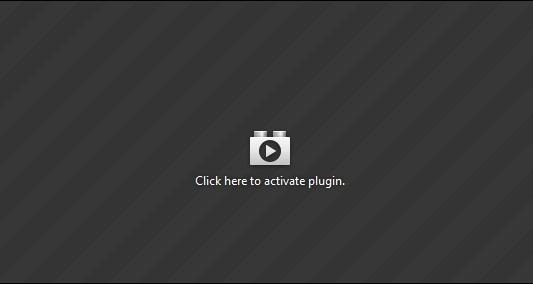
You can enable a feature called Click To Play that replaces Flash content with a static image that you have to click on before the media will load and play. This is what it will look like.
To enable Click To Play -

1) Type about:config into your URL bar. This will bring up a warning but simply ignore it and dismiss it.

2) Type plugins.click_to_play into the search bar and press enter. This will bring up the file on your screen.

3) Right click on the file and then select Toggle.

4) Restart Firefox and when a video that use to auto start will instead be replaced with the above image.

Monday, February 17, 2014

Free Computer Antivirus?


There is a HUGE question that most people have, is free antivirus any good? I hope to help you out with this small article and let you know the ups and downs of not paying for your internet protection. In reality most antivirus is the same, some are a bit better in some areas while others are stronger in other areas. The simple answer is yes, go for the free stuff but there is a small catch to the answer.

 One of the best advantages of owning an antivirus is that it protects your sensitive information. There’s are 100's of virus that can steal important information from your computer such as your credit card number, bank account number, social security number and so forth. If you end up with a virus it could be mush worse then just a slow computer so yes, you do need antivirus.

I do not work for or earn any money from the following companies, please look over them and pick what you like but after the least you will need to keep reading because there is one more thing you need to know.


http://free.avg.com/us-en/homepage
http://www.avast.com/en-us/index
http://windows.microsoft.com/en-us/windows/security-essentials-download
http://www.bitdefender.com/solutions/free.html
http://www.avira.com/en/avira-free-antivirus

There are others but these are some of the better ones.

One other thing that you need to know about keeping your computer and information safe is that you really should get a program to protect you from malware, do not fret, this is free as well. After you have downloaded your anti virus then download one of these as well. These will help protect your privacy from spyware.

http://www.superantispyware.com/
https://www.malwarebytes.org/

Now you are as safe as you can get and you have not paid a dime.


Wednesday, January 22, 2014

Old Time Radio OTR


While this may not be a hack in the conventional way "how to listen to OTR" is asked quite often. Sometimes people just want a story to listen to or they are setting up a computer for a parent or grandparent and want to show them some of the "cool" things it can do.

These are 2 of the best sites where you can download and even stream some of the old programs. Please feel free to let me know of any other sites that you have found helpful. I know there are hundreds out there but so many of them want you to buy a cd or download and these are 100% free.

http://www.oldtimeradiofans.com/

A great selection of downloads are available.


https://archive.org/details/oldtimeradio

This is one of my favorite sites on the internet. It not only has free OTR but old movies, TV shows, books and now even video games.

How To Remove Facebook Graph Search


Are you tired of, concerned about or simply annoyed with your private information being thrown out to the world when it come to Facebook? This is a simply way to stop it from ever happening again. This is NOT my video but it deserves a look at because of the subject matter.


Sunday, January 5, 2014

Play Atari and other old consoles in your browser LEGALLY for Free


Would you like to play the old games on your computer and tablet and not worry about a virus or the legality of it. There is a solution to your having fun, walking (playing) down memory lane, stay away from viruses and not worrying about the NSA breaking down your door.

The fantastic website archive.org has started adding video games from days gone by. The have made it so you do not need to download an emulator and instead lets you play the games in your web browser. "Simply click on a system below to browse through available games and cartridges and try them out. Where possible, links to manuals and additional information are available for reference."

Start your fun and head over to  https://archive.org/details/consolelivingroom

Tuesday, December 17, 2013

Has Your Email Been Hacked?


The fear of many people is that their email has been hacked and they might not even know it till it is to late. Personal information, pictures, credit information and just your sense of security can all be stolen. There are a couple of things you can do to check your account, one is simply checking the information on your page and the other is a great website that you can run your email address through.

1) If you have google mail it is easy to check the history of IP address used to access your email. If someone other then yourself is accessing it then it will show that persons IP address. Lets start from the beginning.

A - Open your gmail account
B - Scroll down to the bottom of the page
C - At the bottom right hand side there will be the words "Last account activity" with the number of minutes or hours it has been since your account has been accessed. Under this is the word "Details" and it will be underlined. Click on the work "Details"
D - A pop up window will show on your screen and it will give you details of when and were your account has been accessed. If you are the only person then you can feel at least safer that you have not been hacked.


2) There is a web site that takes all of the email address that have been openly hacked, places like Yahoo, Sony and Adobe of all had user information hacked. Adobe (best known for PhotoShop) lost over 150 MILLION user information to hackers.

Thankfully there is an easy solution to check if your email information has been compromised. http://haveibeenpwned.com/  covers many of the companies. It only asks for your email account and you do not have to give it any other information. When you enter your account it immediately tells you if you are safe or if you need to change your passwords.

I hope this has helped.

Thursday, May 12, 2011

Windows Password Hack


I was asked for the simplest way to hack a computer that had password protection. There are actually many reasons that a person would need this and many of them are actually legal. Just a hint, if you plan on using this for any illegal activity then you are simply a moron that needs to get a life.

The software you will need is called Ophcrack and you can download it free HERE.

I would suggest that you use the "liveCD" version.

Now get ready, this is NOT difficult.

1) Download the software
2) Burn to a CD
3) Set the computer you wish to Hack to boot from a CD. This can usually be found in the BIOS/CMOS setting of your computer.
4) Boot off the CD you burned
5) Choose graphical interface
6) Wait any where from 1 minute to 20 minutes and you will have the password.

Pros
  • Software is free for download online
  • Passwords are recovered automatically using the LiveCD method
  • No software installation is necessary to recover passwords
  • No knowledge of any existing passwords is needed
  • Ophcrack works with Windows 7, Windows Vista, and Windows XP

Cons
  • Passwords with more then 14 characters can not be cracked.


This is a great piece of software but PLEASE use only as a responsible adult would.

Friday, April 15, 2011

To You Know Who

Leave me alone.... it has been long enough.

We are over and have been for years. I am happily married and just want you to leave me alone.


Keep pushing me and this blog goes live again.

Wednesday, February 23, 2011

I Can Get Your Social Security Number


This blog is NOT intended to be used for ANY illegal usage, this particular article is to be a warning to the reader and the need to keep private information private. 

As I scan the dark side of the internet looking for information for my different publications I keep running into something that seem obvious yet is hidden in plain sight. Identity thieves and hackers value a Social Security Number above most things. We, the honest folk, stupidly give them enough information so they can in a few minutes have everything they need to get our number 80%+ of the time without us every knowing it or even being able to verify that someone has been snooping.

Facebook, Tumblr, Myspace..... thanks, you gave me most of what I need to know.

Follow the steps

The SSN is made up of nine digits

I need two pieces of information from you
1) Your date of birth. Most people give this out without thinking
2) Where you were born. Once again nothing to hide.


To simplify matters (but not necessarily needed) the last 4 digits of your SSN. Think about how many times you give that out. You do it on websites, all types of applications and just about any and every where. We do this because we think the last four digits are not enough to do us any harm.

There are fine tuned algorithms that will fill in the first 5 digits and rougher ones that will get the last 4 digits (if you have not already given them away) at a fairly high percentage rate.

 An example of the problems that could happen would be a credit card verification service, they recognize the challenges of data entry from illegible forms and usually allow up to two digits of the SSN to be wrong even giving multiple attempts before black listing an IP address. You would assume that they would use a higher protection scheme then just an IP address verification (they are out there) but most if not all do not employ the measurements you would expect.

A good bot computer can go through create and verify 40-60  social security numbers a MINUTE. This is not good news for us average folk. Keep your birth date, place you were born and if older where you applied for your SSN private..... otherwise you may not be so happy one day.


I purposefully left off this blog where you can get the software to do this. My readers are honest people and frankly we do not break the law.

Saturday, February 19, 2011

Back Up Your Facebook Account


There comes a time when you realize that your Facebook account holds many things that are important to you. There are pictures, friends list and private messages that you really would not want to lose. I personally needed to find old inbox notes and wall posts so that I could start legal proceeding against a woman who had been stalking me for over a year. The nice thing about this system of back-up is that even if you have blocked someone or they have blocked you the information is still there.

This is the easy and Facebook approved way of saving all of the information that has become your "virtual" life.

1) Under the menu under "Account" Click "Account Settings"

2) Click "Learn More" beside "Download Your Information"

3) You will then be asked to verify your password

4) After verifing your password it will give you the opportunity to download your Facebook account.

It may take awhile for Facebook to format your information and you may have to check back a little later. This does give you access to your old pictures, posts and notes and most everything.

Thursday, July 8, 2010

Facebook Friends Informaion


Have you ever wondered who rejected your friend request or who mysteriously dropped off you friends list? This is a simple solution to find out.

You need to be running Firefox web browser.

Click here and install Greasemonkey.

After you have installed Greasemonkey and restarted your browser

Click here and install Facebook Friends Checker

That is it.... nothing more to do.

When the script detects that someone you used to be friends with is no longer one of your friends, a message will appear informing you about who it was and giving you a link to their profile page. The script checks by default once per hour when on Facebook, but this time can be increased through

Tools >
Greasemonkey >
User script commands... >
Set time interval to check for removed friends.

It is really a nice thing to have and use.

Tuesday, July 6, 2010

Free Proxy Software


If you are hacking, snooping or just wanting to hide your tracks on the internet then you should us Proxy Software to change your IP address. Your IP address is recorded on any website you visit (including this one). I have had people who get upset that they can be traced when visiting a website but the fact is EVERY website can and does do this.

1. Click Hotspot Shield to get your free anonymous proxy server.

2. Go to www.whatismyip.com and check your IP Address.

3. Now, install Hotspot shield software on your computer.

4. After installation, run Hotspot shield and the free proxy software will open itself in a default browser. Then, the software will connect with fastest available anonymous proxy server.

5. Now, go to www.whatismyip.com site again and check your IP address. You will see it has changed.

Disabling Hotspot Shield is even simple. Disabling is achieved by going to Hotspot shield icon in taskbar, right clicking and selecting Disconnect/OFF.

It is as simple as that. You are now anonymous and can search the web with less likely hood of being seen.

Sunday, June 27, 2010

Temporary Email


Sick and tired of getting spam? Do you hate being forced to disclose your email address for ridiculous reasons? Get a disposable email address! This can be used to sign up for things that you do not want to use your "good" email account for. It is also useful when you do not want to give a person your actually account.

While signing up to an online account on web, you can use these disposable email addresses provided. This keeps your real email address protected from spam. These services provide you with email addresses of the format you desire. Temporary email addresses last for time duration varying from few hours to some months, depending on the type of service you use

1. Mailinator

2. Yopmail 


3.  MyTrashMail

Thursday, June 24, 2010

Free Google Phone


Once only available by personal invitation Google Voice provides you with a single number to centralize all the phones in your life. Your Google Voice number can ring multiple phones all at the same time or individually, depending what you choose. Google Voice also includes Web-based voicemail with instant text transcription, the option to set personalized greetings for different callers, and the ability to send and receive unlimited text messages. And best of all, it's completely free.

Google Voice is also full intergratable into your Android or BlackBerry phone. It is very easy to setup and use. At this time Apple is still keeping it out but who knows what the future will hold.

Google Voice

Thursday, March 25, 2010

Ultimate FaceBook Add On


This was sent to me from Tina Duree and seems like the Ultimate FB add on. It can tell you who has visited your FB page, who has searched for you and tracks all of your current friends. This will help you know when your friends are on Facebook and what they are doing.

Simply download here Ultimate FaceBook

Install

This is AD ware, in other words it is free to use but will load ads. The ads will ONLY show up when you are running the program and at no other time. I do understand that people do not like "ad ware" and it is seen as a problem but this does not take over your system and only comes on while running. I will look for something that is not "ad ware" but I doubt I will find anything.

To use .... AFTER you log on to Facebook then run the program. When you are through then exit the program to stop any extra ads from popping up.

Have new fun with Facebook

I have not fully tested this myself yet but if you have questions please email me and I will forward them to Tina.

Tuesday, March 23, 2010

Keylogger


I had a person who needed a reliable keylogger because of a soon to be ex-spouse who she suspected of getting on her computer and snooping. I have had to rely on a couple of friends to find the best FREE keylogger available and this seems to be it.

Actual Keylogger

A keylogger simply records every key pushed on your keyboard. This tells you where they go on the internet, passwords, user ID's and much more.

I hope that I have time tomorrow to bring you a small crypting program to protect you if you think someone has put a keylogger on your computer and you do not want them to know that you found out.

Friday, March 19, 2010

Gmail Restrictions


If you want to send .EXE files via email it may seem like you are out of luck, Gmail has a virus scanner that scans email attachments and blocks anything assumed a virus (this is good). The problem that many people have with Gmail is that it also blocks .EXE files, this means you cannot send any .EXE files via Gmail.

Thursday, March 18, 2010

Email Search

Very simple email finder. You can use this to do a reverse search to see who owns an email or input the name to find someones email address. This does have a one time low cost but gives you unlimited searches.

Email Search


Click Here!

Wednesday, March 17, 2010

Facebook Friends


Have you ever wondered who rejected your friend request or who mysteriously dropped off you friends list? This is a simple solution to find out.

You need to be running Firefox web browser.

Click here and install Greasemonkey.

After you have installed Greasemonkey and restarted your browser

Click here and install Facebook Friends Checker

That is it.... nothing more to do.

When the script detects that someone you used to be friends with is no longer one of your friends, a message will appear informing you about who it was and giving you a link to their profile page. The script checks by default once per hour when on Facebook, but this time can be increased through

Tools >
Greasemonkey >
User script commands... >
Set time interval to check for removed friends.

It is really a nice thing to have and use.